Manual steps, made automatic
Motorized turret
Rotate the MA200's LV-NCNT2 nosepiece from the screen — or by hand at the stand. Either way, MT-IAS Pro knows which objective is engaged and switches the µm calibration factor automatically.
Nikon MA200 · LV-NCNT2 · auto calibration syncPer-lens illumination
Each objective remembers its own lamp brightness. Switch from 10× to 50× and the illumination is already right — no fiddling with the lamp dial between every magnification change.
Presets auto-applied on lens changeBound cameras
Calibrations are hardware-authorized to the exact sensor and resolution they were created with. A different camera or capture mode can never silently reuse the wrong factor.
MultitekHDCam & NNCam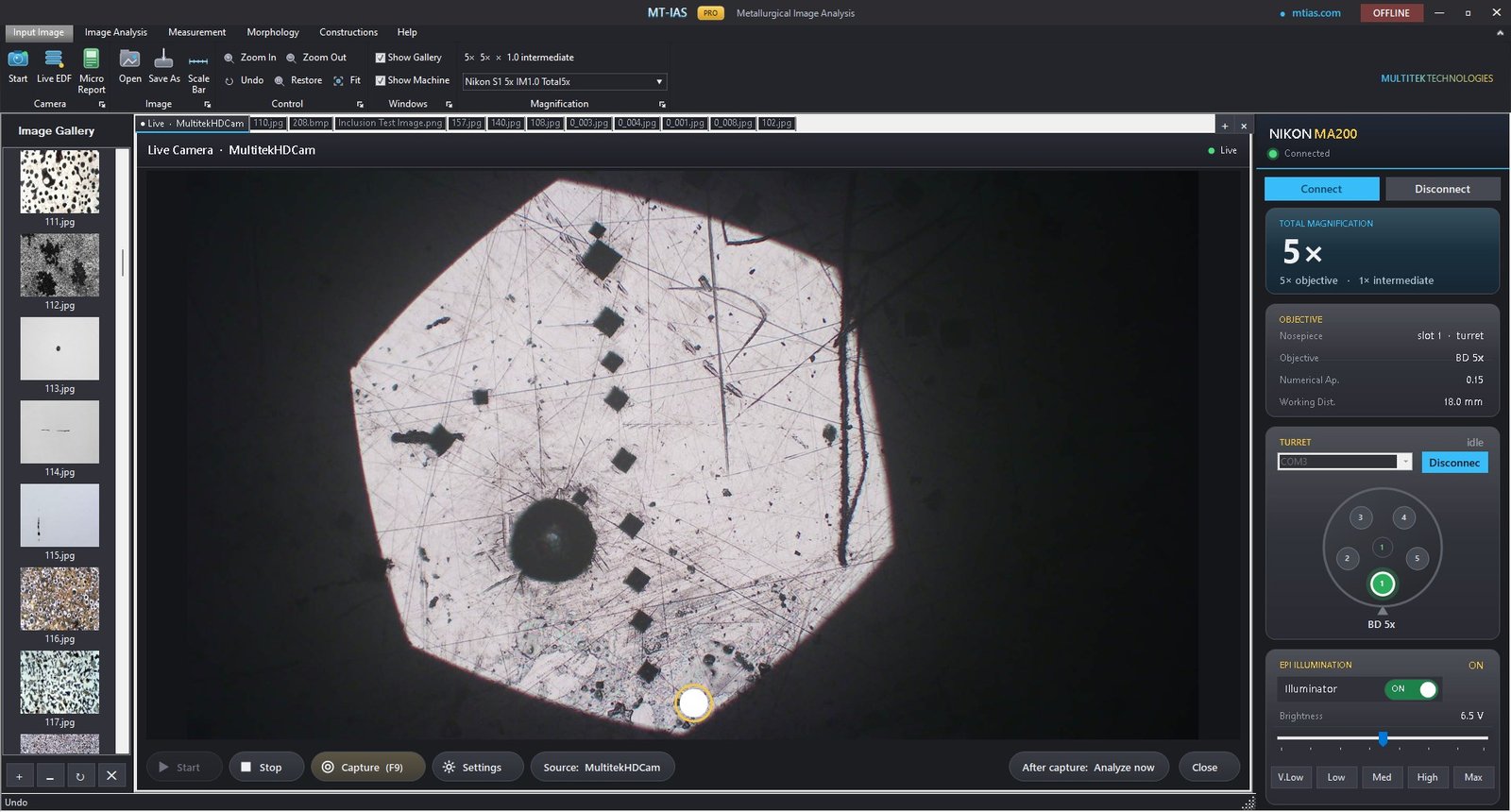
The failure mode this kills
The classic lab error: the image was captured at 50×, but the software still carries the 10× calibration. Every measurement on that field is wrong by 5× — and it looks perfectly plausible on the certificate.
- You change the objective — on screen, or by hand at the microscope.
- The turret reports the engaged position to MT-IAS Pro over the LV-NCNT2 link.
- Calibration & illumination follow — the µm-per-pixel factor and the lamp preset for that lens are applied before you capture.
- Every capture is born calibrated — grain size, nodularity, inclusion dimensions and every ruler measurement inherit the correct scale.
Integration summary
| Item | Detail |
|---|---|
| Microscope | Nikon MA200 inverted metallurgical microscope |
| Turret | LV-NCNT2 motorized nosepiece — on-screen control, hand rotation detected |
| Calibration | Automatic factor sync to the engaged objective |
| Illumination | Per-objective lamp presets, applied on lens change |
| Cameras | MultitekHDCam & NNCam, hardware-authorized binding |
| Capture | Live camera as a first-class workspace tab, F9 shutter |
Common questions
Which microscope does MT-IAS Pro integrate with?
The Nikon MA200, including control of the LV-NCNT2 motorized nosepiece with automatic calibration-factor synchronization. The analysis modules themselves work with images from your calibrated capture regardless of stand.
What happens when I rotate the turret by hand?
The engaged position is still reported to the software — calibration and illumination follow whether the rotation came from the screen or your fingers.
Which cameras are supported?
MultitekHDCam and NNCam, with hardware-authorized binding: each calibration is tied to the exact sensor and resolution it was created with.
Why does hardware binding matter for calibration?
Because a calibration factor is only valid for one optical path: objective × camera × resolution. Binding all three means a wrong-scale measurement can't happen silently — which is the whole point. See the Measurement Suite.
See the turret follow your hand
The best thirty seconds of the demo: rotate the nosepiece and watch the calibration change by itself.