What the module does
Rating
- ASTM E45 chart method — the workhorse of steel inclusion rating
- ISO and DIN chart methods for international and German-spec work
- Field-by-field severity — every examined field gets its rating, not just an impression
- Automatic thresholding — inclusions segment cleanly from the polished matrix
Workflow & output
- Unetched analysis — inclusions read dark against the bright matrix, no etch needed
- Operator review — detected inclusions are shown as an overlay before rating is committed
- Calibrated dimensions — stringer lengths and widths in true µm
- Excel & PDF reports — severities per field, worst fields, letterhead, micrographs
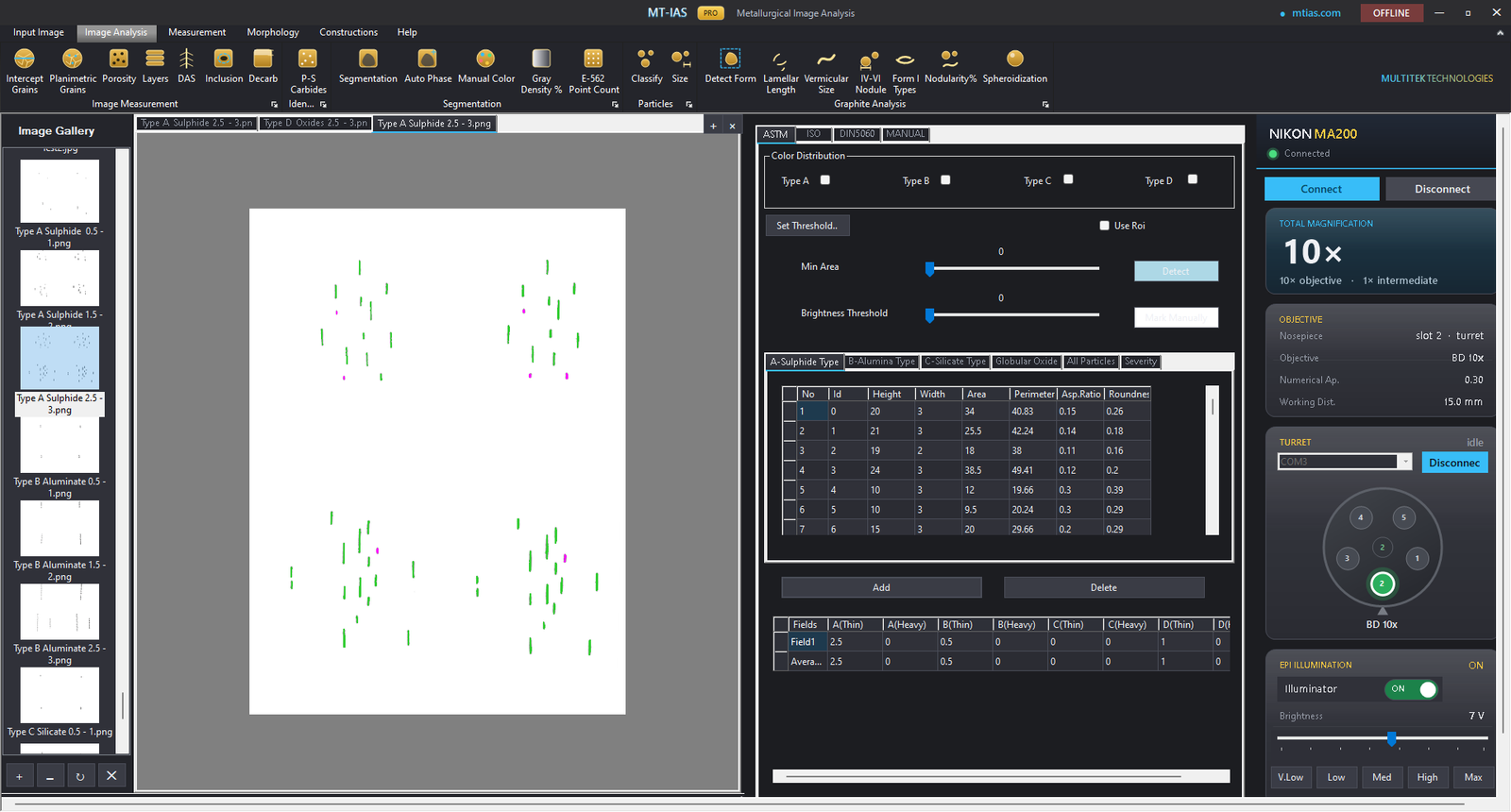
From polished surface to severity rating
- Capture the unetched field — inclusions are rated on the as-polished surface, straight from the live camera.
- Threshold automatically — dark inclusion phases segment from the matrix; the detection is shown as a reviewable overlay.
- Review and classify — stringers and globular inclusions are grouped by type; you confirm before rating.
- Rate per chart — severity is assigned per the selected method (ASTM E45, ISO or DIN charts), field by field.
- Report — per-field severities and governing fields export to Excel or PDF on your letterhead.
Module summary
| Item | Detail |
|---|---|
| Methods | ASTM E45 · ISO chart method · DIN chart method |
| Detection | Automatic thresholding on the unetched field, operator-reviewed |
| Rating | Field-by-field severity per the selected chart |
| Measures | Calibrated stringer length / width in µm |
| Calibration | Bound to the engaged objective |
| Reporting | Excel & PDF, customer letterhead, rated micrographs embedded |
Common questions
Which inclusion rating methods does MT-IAS Pro support?
The ASTM E45 chart method is the primary workflow, alongside ISO and DIN chart methods for customers who specify them. Severity is rated field by field with automatic thresholding.
Does the software rate fields automatically?
Detection is automatic; rating is accountable. Inclusions are thresholded and overlaid for review, then severity is rated per the selected chart — so the certificate reflects a judgment you can stand behind, at automated speed.
How are inclusion results reported?
Field-by-field severities and the governing worst fields export to Excel or PDF on your letterhead, with the rated micrographs embedded alongside the numbers.
What do the inclusion types actually mean?
Types distinguish sulfides, aluminates, silicates and globular oxides — each with its own morphology and severity series. Our primer covers them: Inclusion rating, explained.
Rate your steel, not your patience
Bring a heat you know well to the demo and compare the module's ratings against your bench results.